Send your app as a link.Get their notes back.
Each person who opens it gets your app on their own Android device in the browser, with no install and no account.
On every plan. Each person’s device runs on your minutes.
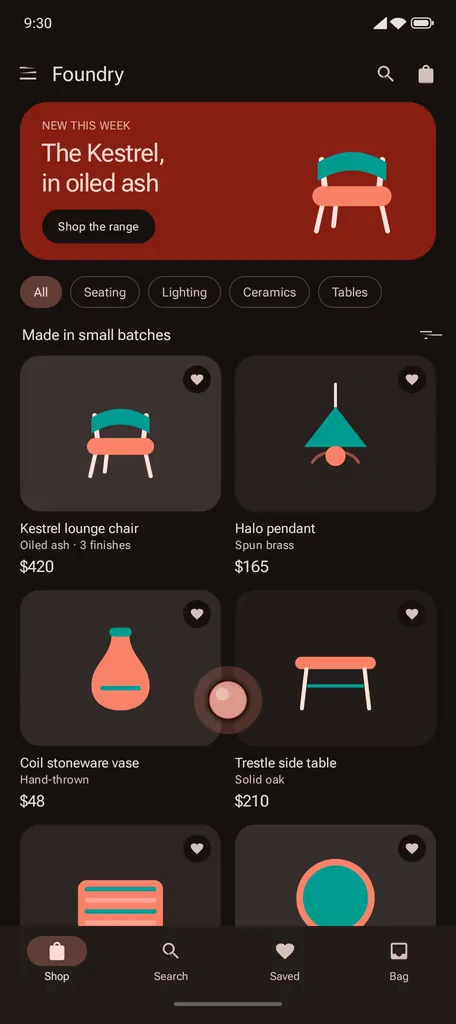
Three steps.
Run your build
Upload an APK, or open the device your agent already started. Then choose Share.
Send one link
Each person who opens it gets a fresh device with your app. Paste it into any chat or email.
Read their notes
Each note comes with a screenshot, where they pointed, the device log and their taps. Your agent can read them too.
On their side.
- Any browserOn a phone or a laptop. The link is the whole setup.
- A device of their ownYour app on a fresh Android device, ready when the page opens.
- Send feedbackThe screen freezes into a screenshot. They pin the spot and write what they saw.
- Your replyIt shows on their link, and a latest-build link offers them your fix.
A fresh device with your app, for them alone, for up to 30 minutes. You can see who is on one and open it to watch.
The specifics.
Two kinds of link
Their own device, or Join this device. The first gives each person a fresh device with your app. The second brings everyone onto the device you are using, live, and lets you choose Watch, Use or Use + install.
How many at once
One device for each person. Each uses one of your plan’s devices while it is open: 1 on Free, 1 on Hobby and 2 on Pro. When all are busy, the next person’s page waits and opens as soon as one is free. A device ends 30 minutes after it starts, and the person can start another while the link lasts. Your own session comes first: if every device is in use, the one a link started longest ago ends. A joined device takes you + 3.
How long it lasts
Up to 7 days. 3 days unless you choose. Until then, opening it again starts a fresh device once the last one has ended.
What comes with a note
A screenshot, their pin, the build, the device log and their recent taps. The log is the last 200 lines. They can leave out the log and taps, and what they type is never sent, only that they typed. Taps on the on-screen keyboard are not recorded. Notes are deleted after 30 days, or sooner if you delete one.
Latest build
A latest-build link follows your uploads. Upload a fix and the link you already sent opens it, so there is nothing to resend. Or keep a link on one build.
A link for each person
Label it, see who opened it, revoke it. See who is on their device now, and open it to watch. A revoked link stops at once, and the devices it gave people end with it.
Who can use it
- Youupload a build and share it
- Anyone with the linkfrom their browser, no account
- Your agentshares a device and reads the notes
Your agent can read the notes too.
It reads each note with its screenshot and log through android_get_feedback or ramus feedback, tells you what it found, and, once you agree, fixes the bug and resolves the note with a reply when the new build is up.
It can share as well: android_share_session with own_device, or ramus session share --own.
Questions.
Do they need an account?
No. They open the link in any browser, on a phone or a laptop, and can type a name so you know who they are.
What do they see?
With Their own device, a fresh Android device with your app that is theirs alone. With Join this device, the device you are on, live, with everyone else who joined.
What does each person cost me?
Their device runs on your account and minutes, and uses one of your plan’s devices while it is open: 1 on Free, 1 on Hobby and 2 on Pro. When all of them are busy, the next person’s page waits and opens as soon as one is free.
Can several people use one link at once?
Yes. With Their own device, each person gets a device of their own, as many at once as your plan has devices. With Join this device, you + 3 share the one device.
What comes with a note?
A screenshot of their screen, where they pinned it, the build, the last 200 lines of the device log and their recent taps and swipes. They can leave out the log and taps. What they type is never sent, and taps on the on-screen keyboard are not recorded. Notes are deleted after 30 days.
Can my agent read the notes?
Yes. Over MCP it uses android_list_feedback, android_get_feedback and android_resolve_feedback, and from a shell, ramus feedback. It tells you what it found and asks before it changes any code. Once you agree, it can fix the bug, upload the build and resolve the note with a reply, and a latest-build link opens the fix.
Does it work on an iPhone?
Yes. The link opens in any modern browser, on an iPhone, an Android phone or a laptop. The app itself must be an Android app: Ramus does not run iOS apps.
Can I take a link back?
Yes. Revoke it in the Share panel and it stops working at once. For a Their own device link, that also ends the devices it gave people. Ending a device does not revoke its links.